


 Curea umeline compatibila cu Apple Watch 1/2/3/4/5/6/7, 42mm, Nylon, Woven Strap, Dark Purple
 Curea umeline compatibila cu Apple Watch 1/2/3/4/5/6/7, 40mm, Silicon Sport, Negru/Alb
 Curea umeline compatibila cu Apple Watch 1/2/3/4/5/6/7, 38mm, Silicon Sport, Purple
 Curea umeline compatibila cu Apple Watch 1/2/3/4/5/6/7, 42mm, Nylon Sport, Woven Strap, Purple/Electric Pink
 Curea umeline compatibila cu Apple Watch 1/2/3/4/5/6/7, 40mm, Nylon Sport, Woven Strap, Electric Green
 Curea umeline compatibila cu Apple Watch 1/2/3/4/5/6/7, 40mm, Silicon Sport, Argintiu/Alb
 Curea umeline compatibila cu Apple Watch 1/2/3/4/5/6/7, 40mm, Silicon Magnetic, Midnight Blue
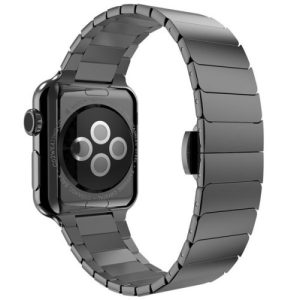 Curea umeline compatibila cu Apple Watch 1/2/3/4/5/6/7, 42mm, Link Bracelet, Otel Inoxidabil, Black
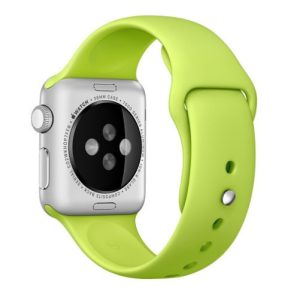 Curea umeline compatibila cu Apple Watch 1/2/3/4/5/6/7, 40mm, Silicon, Green
 Curea umeline compatibila cu Apple Watch 1/2/3/4/5/6/7, 40mm, Silicon, Blue
 Curea umeline compatibila cu Apple Watch 1/2/3/4/5/6/7, 40mm, Silicon Sport, Crem/Negru
 Curea umeline compatibila cu Apple Watch 1/2/3/4/5/6/7, 42mm, Elastic Paracord, Rugged Nylon Rope, Blue and Green
 Curea umeline compatibila cu Apple Watch 1/2/3/4/5/6/7, 40mm, Silicon Sport, Negru/Rosu
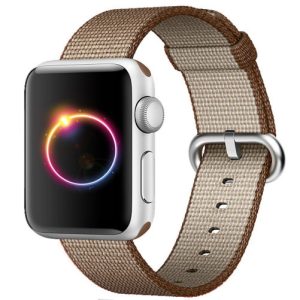 Curea umeline compatibila cu Apple Watch 1/2/3/4/5/6/7, 42mm, Nylon, Woven Strap, Brown
 Curea umeline compatibila cu Apple Watch 1/2/3/4/5/6/7, 38mm, Silicon, Orange
15 11 月 UMELINE 常见问题 ③-AP 设置
How do I set the AP hotspot Password
1) Connect the camera to the mobile APP
2) In the device list, click the “Settings” icon – “Network” and select “AP Hotspot Mode”.
3) Fill in the password under the hotspot name and click [Save]
4) After the setting is complete, the phone connects to the camera hotspot again, and a password is required to connect
Attention:
1) The password must be a combination of 8 or more letters, symbols or numbers
2) Restore the camera factory default Settings to delete the hotspot password
- Specifies the AP hotspot mode connection range
1) The stable connection distance of the indoor camera is 5 to 10 meters
2) The stable connection distance of the outdoor camera is 10 to 20 meters
Note:
1) The above parameters are reference values, and the actual connection effect is affected by the use environment to some extent
2) The wall connection may greatly weaken the signal, and it can be connected to a longer distance environment when it is empty
3) Do not use the equipment in an environment with strong electromagnetic interference
The phone cannot find or connect to the AP hotspot
1) Ensure that the device is properly started and in AP hotspot mode
2) For devices with external antennas, ensure that the antennas are connected
3) Ensure that the device is not connected to the network cable. If the network cable is connected, disconnect it first
4) If a security prompt pops up during the connection of the Android phone, please confirm that the authorization system has connected to the hotspot
5) For IOS14 and above, please confirm that the APP is connected and the [local network] and [exact location] permissions are enabled
6) Please try to restart the device or replace another phone connection
7) If the problem still cannot be solved after trying the above methods, please contact the seller after-sales service
Note: The AP hotspot is a signal from the camera and cannot be connected to the Internet. Therefore, it is normal that the system displays “Network Unavailable” when connecting to a hotspot
No Comments